
How Memory Atlas works
Memory Atlas reads where and when each photo was taken, groups them into places and trips, and puts them back on the map — so organising your memories takes minutes instead of weekends.
How it works
From scattered photos to a shared adventure in five steps.
01
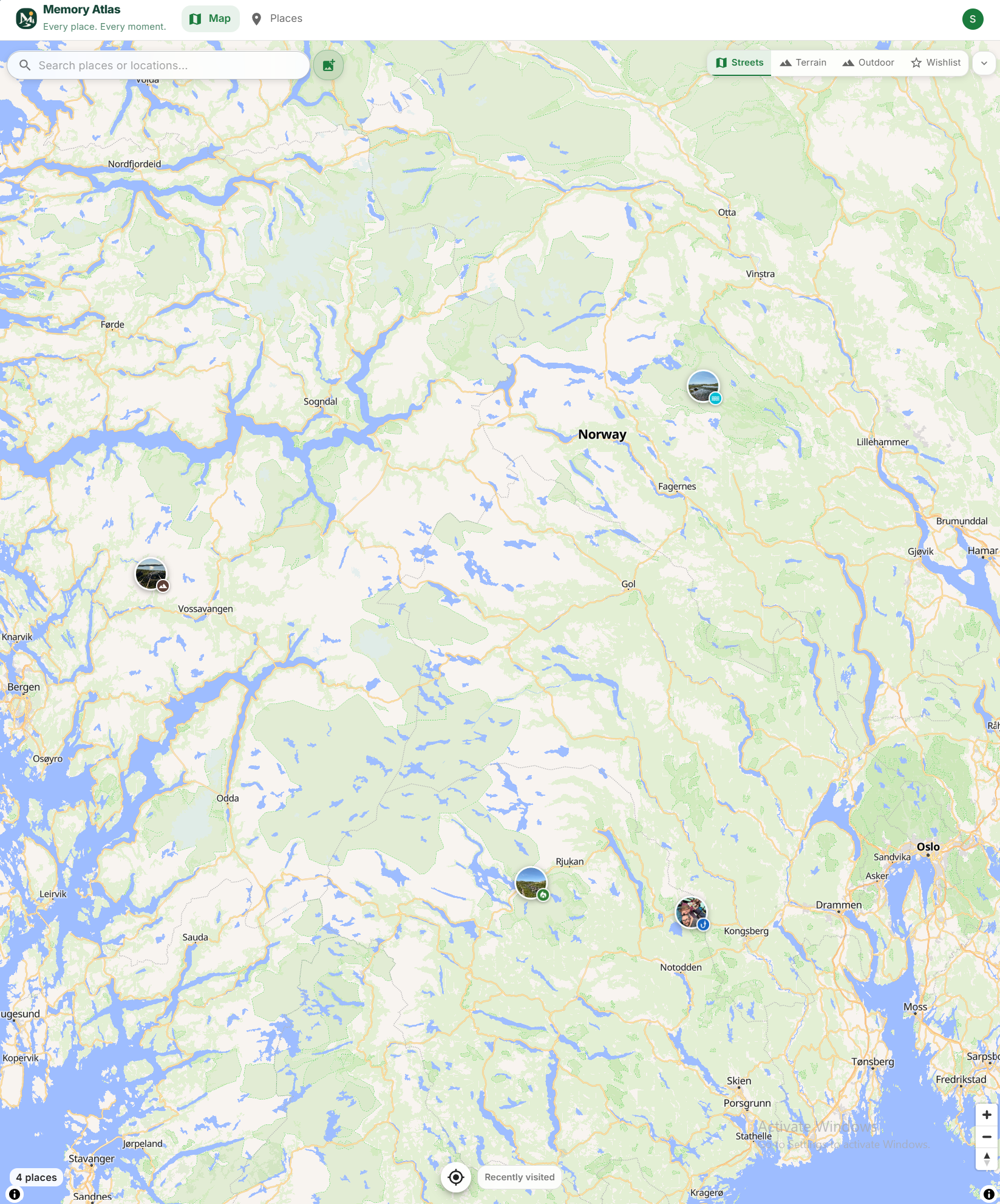
Upload your trip photos
Drag and drop photos from your phone or camera. GPS data is read automatically — no manual tagging needed.
02
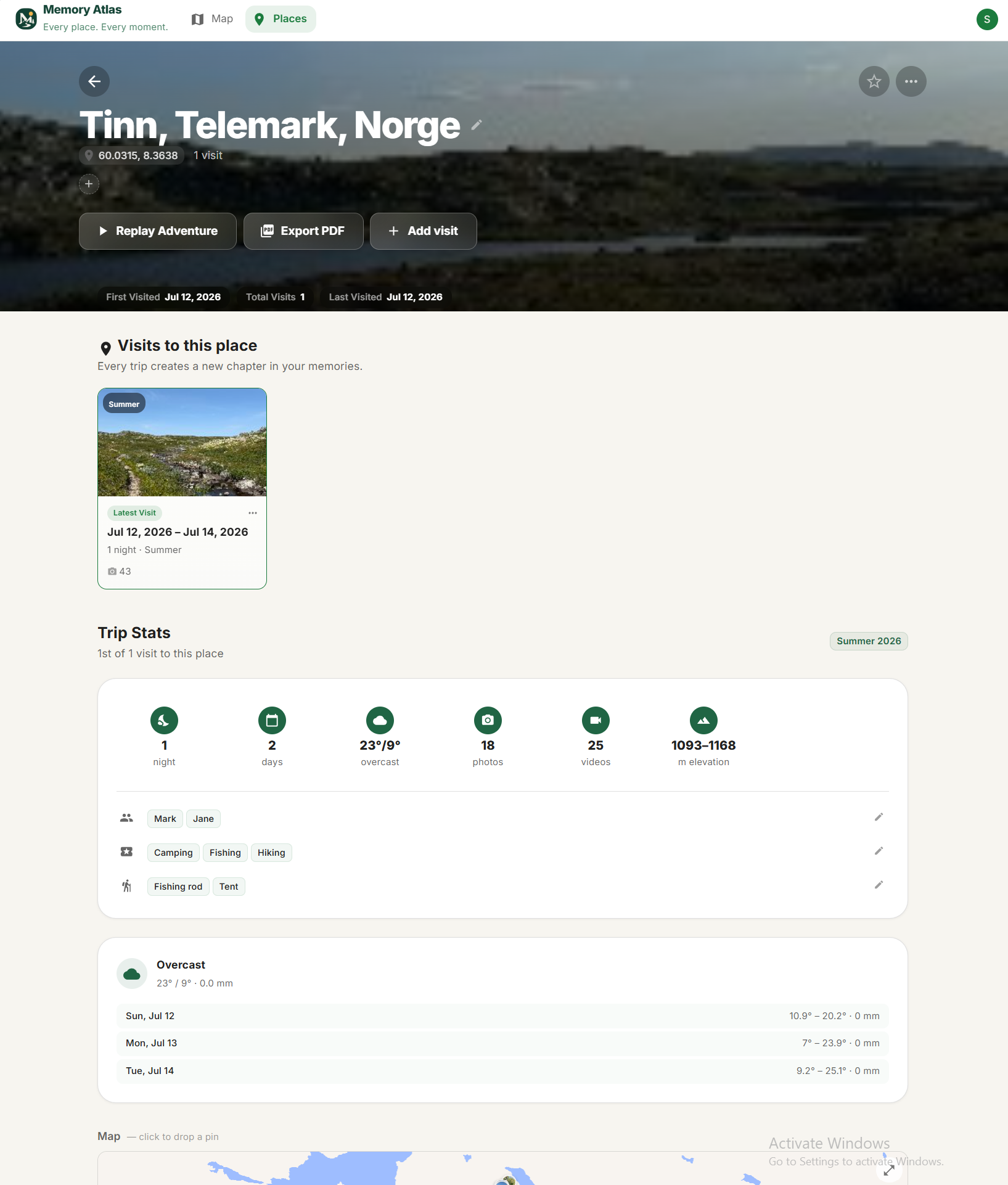
We organize them into places and visits
Every photo lands on the map where it was taken. Trips are grouped by date into visits you can name and describe.
03
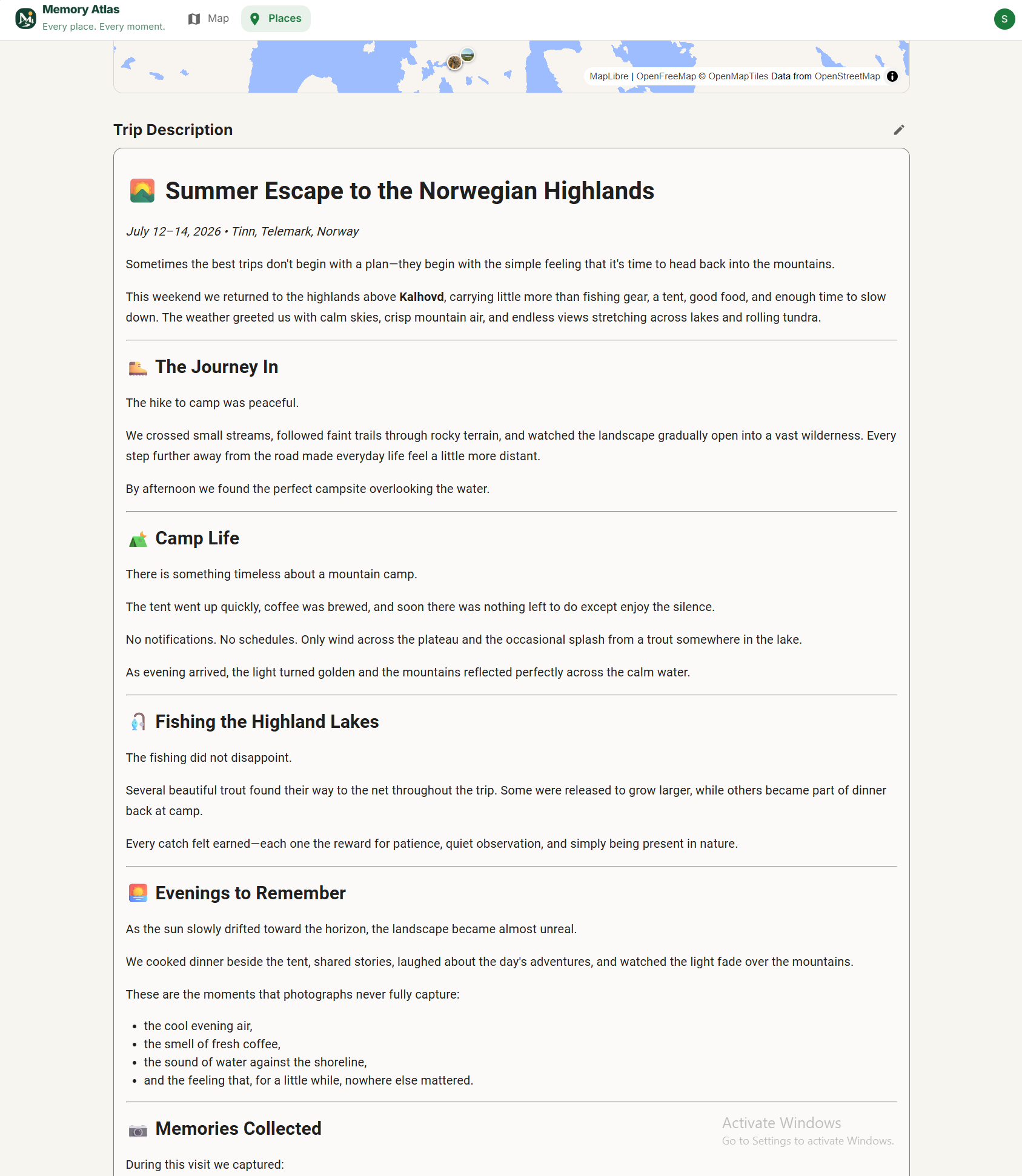
Add notes, people, and memories
Tag who was there, write trip stories, note what gear you used. Your trips become rich family memories.
04
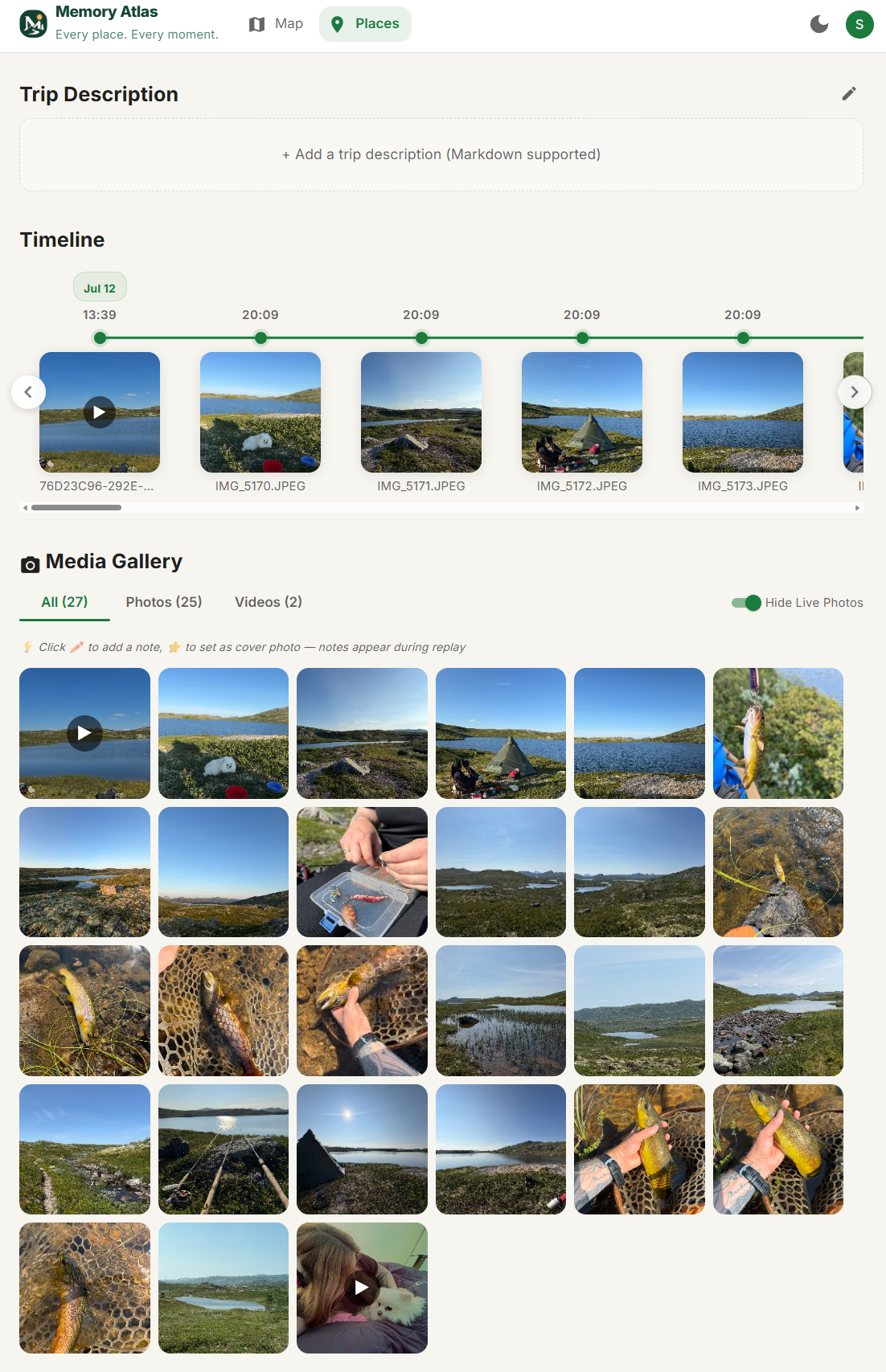
Revisit your adventures anytime
Scroll through your timeline, replay trips moment by moment, or browse your atlas by map. Years from now, every memory is right where you left it.
05
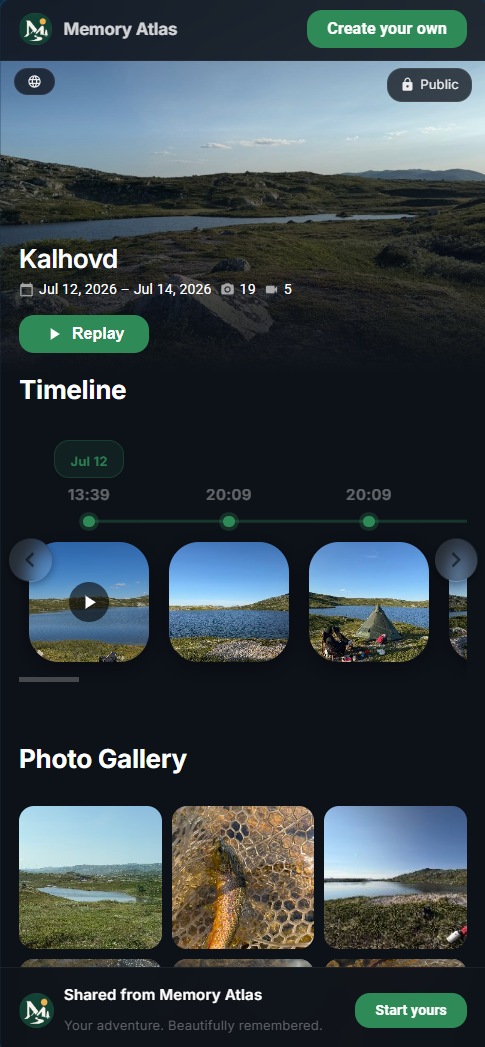
Share trips with a link
Create a stunning trip page with maps, photos, and stories. Share it with anyone — no sign-up required to explore your adventure.